Redesigned event search to give users greater freedom in searching their data, resulting in 11% increased engagement and improved self-service reporting.
A redesign of Solink's Events search — introducing a flexible query builder and saved searches so teams could explore video + PoS data more effectively with less reliance on support.
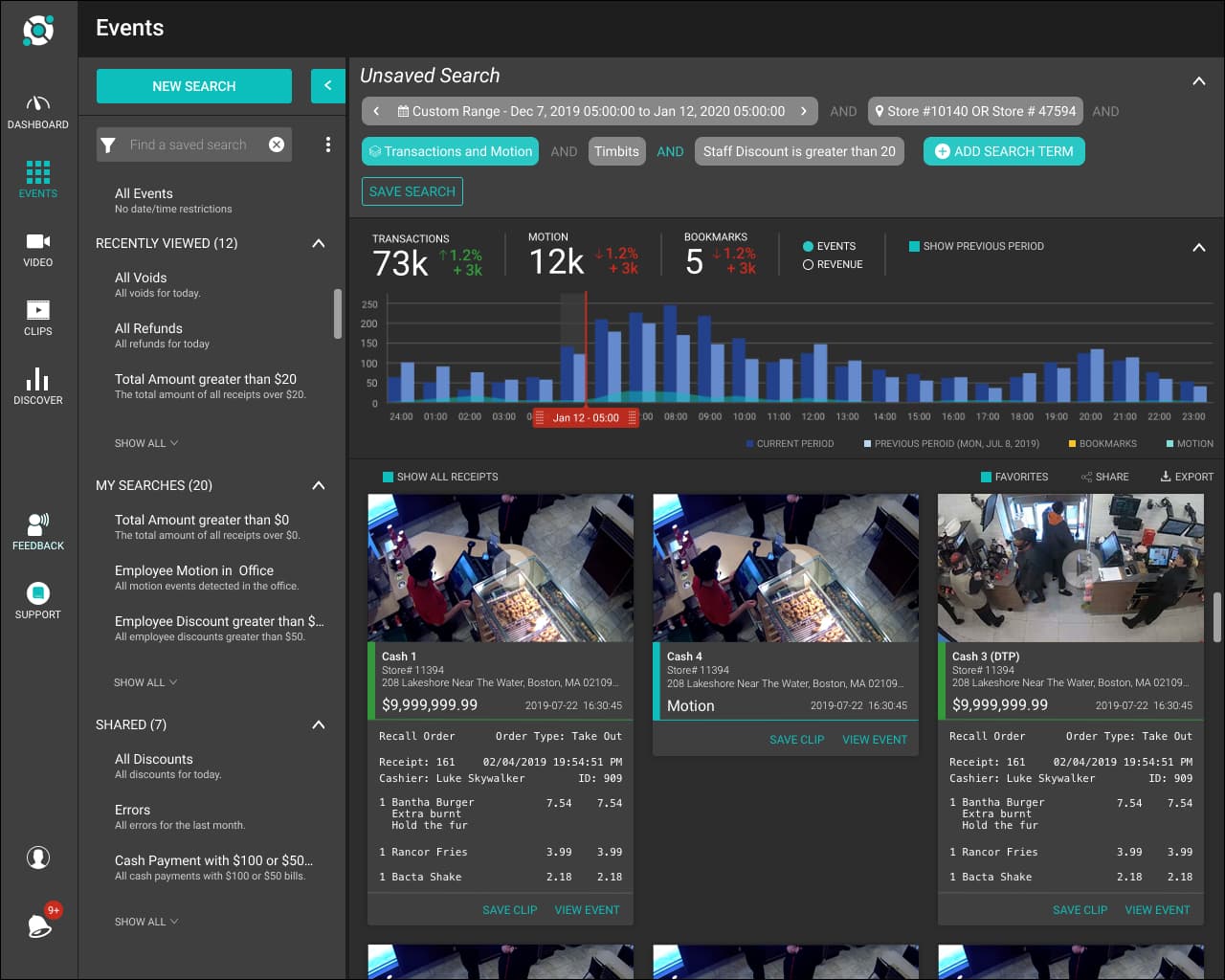
The problem we needed to solve
Users struggled to quickly find relevant moments and patterns across large volumes of video and operational data, slowing investigation and response.
As Senior UI/UX Designer on the Event Search Redesign, I…
- •Led the redesign of Solink's event search experience to help users quickly find relevant moments across large volumes of video and operational data
- •Partnered closely with product and engineering to reframe search from a query-driven tool into a discovery workflow optimized for investigation and decision-making
- •Designed filtering, result structuring, and interaction patterns that reduced noise and surfaced the most meaningful signals under time pressure
- •Simplified complex search controls and system feedback to improve confidence, speed, and interpretability of results
- •Iterated on the experience using real investigation scenarios and user feedback to ensure the design supported both quick lookups and deeper analysis
Unifying Video and PoS Data for Better Business Insight
Solink pairs Point of Sale data with real-time video to create a cloud-based dashboard of searchable moments. Users can quickly review movement in a room, verify purchases, or identify unusual behavior. This approach has reshaped the surveillance space and positioned Solink as a central platform for operations, security, and loss prevention across restaurant, retail, and financial sectors.
Each customer in the Solink ecosystem captures different types of video and PoS data. These variations create a significant challenge when searching and reporting at scale. For example, one customer may want to track staff discount abuse, another may want to measure the success of a product promotion, and another may want to count secure-room access events using motion data.
Making Event Search More Flexible and Insightful
Customer feedback made it clear that the search tools were too simple and rigid. Users could only filter predefined reports with one or two search terms, which limited their ability to find meaningful events. They wanted more freedom to explore their data and uncover insights.
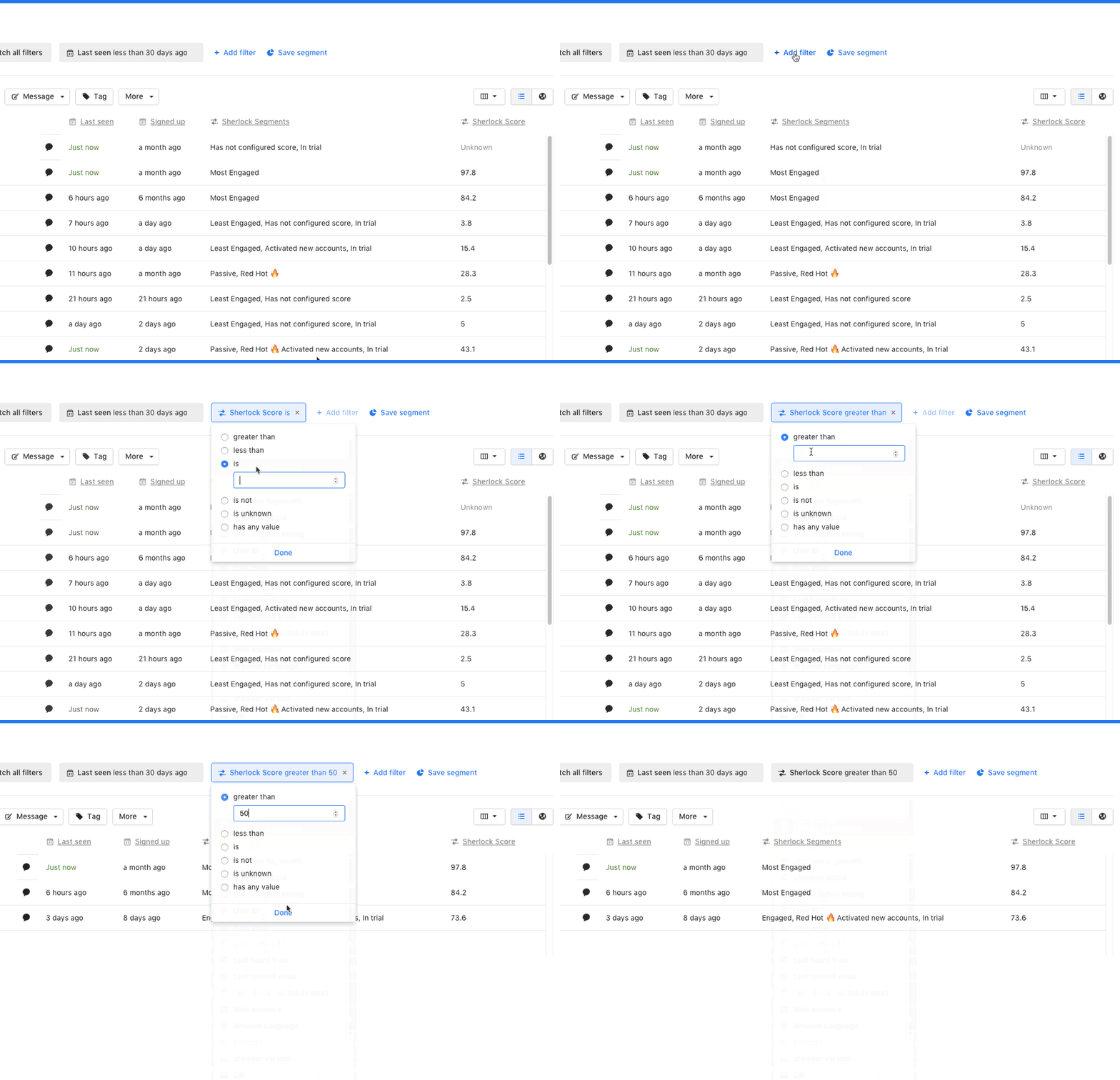
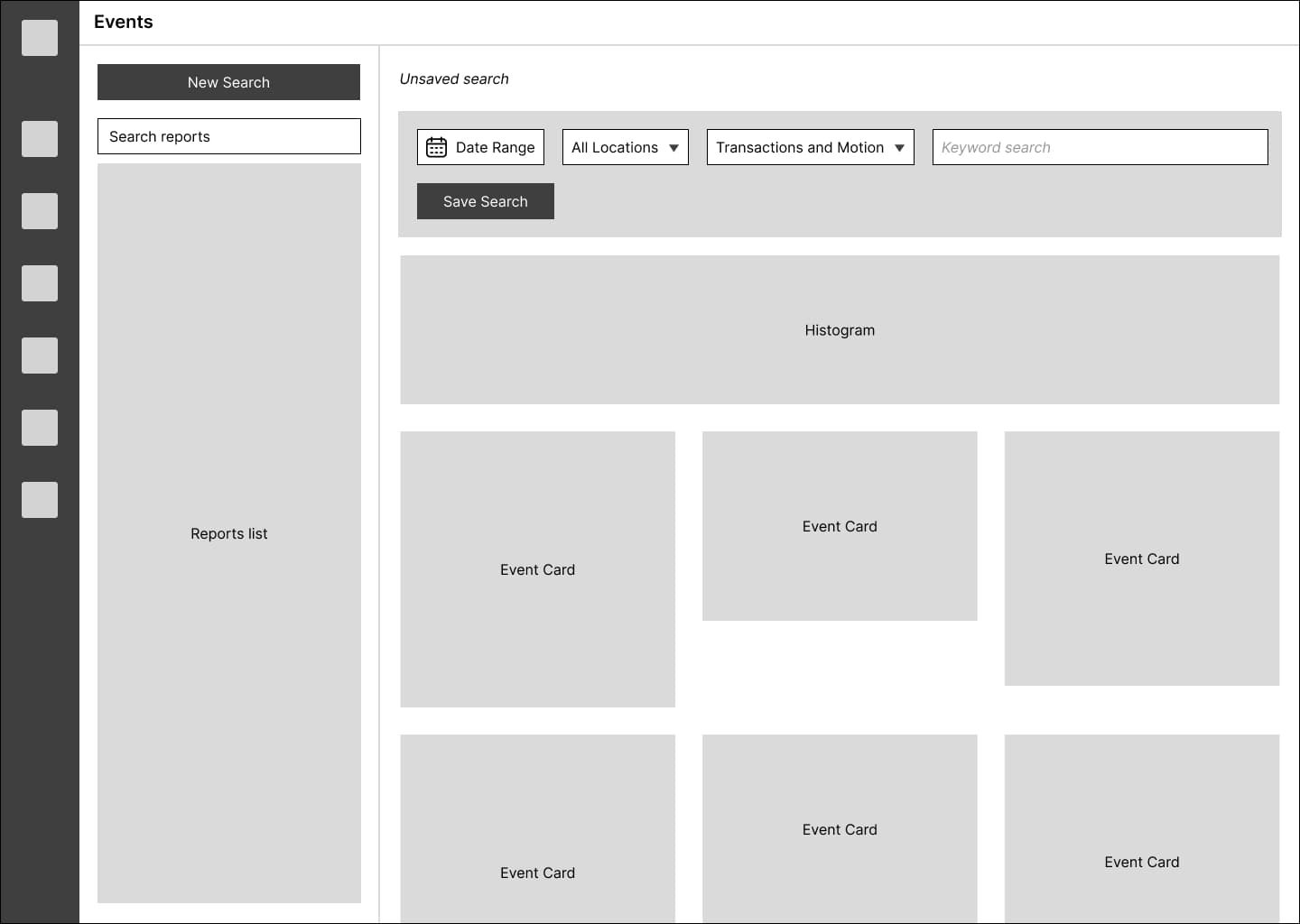
Strengthening Search and Expanding Self-Service Reporting
Finding the right moment in Solink wasn't a simple search problem. Users were working under time pressure, sifting through large volumes of video and event data where relevance was often unclear upfront. Small mistakes in filtering or interpretation could mean missing critical signals, so the experience had to balance speed with confidence, helping users narrow in on what mattered without overwhelming them with noise.
Improve engagement on the events page
Increase how often users interact with and rely on the events page.
Provide more powerful search tools
Give users the flexibility to find the specific events and patterns they care about.
A Flexible, Powerful Search Experience
The final design appeared straightforward, but the system required significant engineering effort. We worked through the complexity over multiple sprints and met regularly with engineering to plan, review, and ensure the design was implemented as intended.
We prioritized clarity and speed over exposing every possible filter upfront.
1 — Advanced Search Builder
Users can now build complex searches by combining multiple search terms with AND/OR logic.
2 — Saved Searches and Reports
Custom searches can be saved as reports and shared across teams, reducing dependency on support.
Improved Engagement and Self-Service
Customer success reported positive experiences as they used the Events page in their daily work, and sales shared encouraging feedback from customers who found the improved search much easier to use.
Increased engagement on the Events page
Users spent more time exploring events and using the enhanced search tools.
Report creation
Users created more custom reports from their searches, reducing reliance on support.
Weekly digest creation increase
Users added custom search results to their automated weekly digests more frequently.
Key Learnings from the Project
Listen to Customer Success and Sales
These teams had far more day-to-day contact with customers than product did, and their insights were essential to shaping and landing the feature. Their feedback helped us refine the experience and ensure it resonated with users.
Step Into Complexity Over Many Sprints
Implementing a complex feature in a single push is rarely effective. Breaking the work into multiple sprints helped derisk the effort, gave engineering room to solve technical challenges, and allowed us to deliver value steadily while working toward the full vision.